Free LLM API Tiers in 2026: What Groq, Cerebras, Mistral, Gemini and Cohere Actually Give You
In shortA scanner of mine had failed every one of its last forty-seven calls, and I only found out because an unrelated GPU got loud at 86 degrees Celsius. Cerebras had pruned its free catalog from about a dozen models down to two, and the one my classify lane called was gone. So I moved that lane to gpt-oss-120b, which Cerebras and Groq both serve. Groq’s free Llama advertises 14,400 requests a day and throttles at 6,000 tokens per minute.
On May 31, 2026, one of my LLM providers quietly deleted most of its free models, including the exact one my code was calling. My code didn’t change. The vendor’s catalog did, and a scanner I’d built went dark without telling me.
I run a small routing layer at home that sends different jobs to different LLM providers. Below is what five free and trial tiers (Groq, Cerebras, Mistral, Gemini, Cohere) actually gave me on 2026-05-31, plus how I rebuilt the pipeline so the next silent deletion doesn’t take it down.
Free LLM API Comparison (2026-05-31 Snapshot)
This is what I saw when I queried each provider’s live model list with my real API keys, not what their marketing pages claimed.
| Provider | Notable free / trial models | The rate-limit gotcha | Commercial use allowed? |
|---|---|---|---|
| Groq | llama-3.1-8b-instant, llama-3.3-70b-versatile, llama-4-scout, qwen3-32b, gpt-oss-120b / 20b, whisper-large-v3 | Generous daily request cap, but tokens-per-minute is the real ceiling (6,000 TPM on the small Llama) | Yes (standard free tier) |
| Cerebras | gpt-oss-120b, zai-glm-4.7 | Catalog is volatile. It dropped from a dozen models to two without notice | Yes (free tier) |
| Mistral | Large stable catalog, including magistral (reasoning) and devstral (coding) | Free / developer access has per-model caveats; read each one | Caveats on the free dev tier |
| Gemini | gemini-flash works on a free key | gemini-pro and flash-lite came back quota-zero on my keys. “Free” is per-model | Yes, within free quota |
| Cohere | command-a, command-a-reasoning, command-r-plus, command-r, command-r7b | Trial key is 1,000 calls per month total, 20 requests/min | No. Trial key is non-commercial only |
One number in that table does most of the work, so it’s worth defining. Tokens per minute (TPM) is a rate limit on the chunks of text a model reads and writes in any 60-second window. A token is roughly three-quarters of a word, so 6,000 TPM is about 4,500 words of combined input and output per minute. That ceiling, not the daily request count, is what stops most real workloads.
The Screaming GPU That Started It
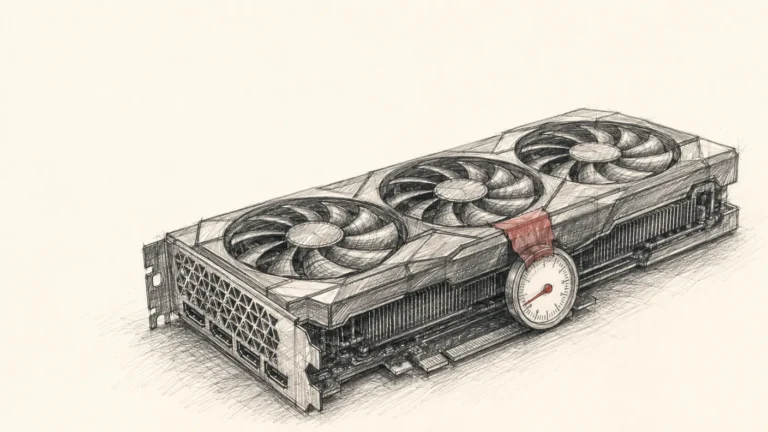
It started with a homelab GPU pinned at 86 degrees Celsius and me having no idea why. One of the cards in my home server was redlined and the fans were screaming. That heat was the only alarm I got. Nothing paged me, nothing logged an error I noticed. A hot card was the entire monitoring system, which tells you how good my monitoring was.
So I traced it: process list, then open network connections, then container logs. The heavy load turned out to be legitimate, a long-running job that compares records to decide if two entries describe the same entity, hitting a local model exactly as designed. Annoying that it ran hot, but not a bug.
The actual bug was sitting right next to it, quiet. A separate job, a scanner that reads market and news items and classifies them, had failed every single one of its calls on the last run. Forty-seven calls, forty-seven failures. It had been failing for who knows how long, and I only looked because an unrelated GPU got loud.
The 404 That Wasn’t My Fault
The scanner routed through a “classify and extract” lane pointed at one small, fast model on Cerebras. When I replayed a call by hand, the provider answered: the model does not exist or you do not have access to it.
My code asked for the same model name it had always asked for. The model was gone. Cerebras had pruned its free-tier catalog and the small model my lane depended on was one of the casualties. No email, no deprecation notice that reached me. One day the call worked, the next it returned a 404 and my scanner went dark.
This is the failure mode that never shows up in a “best free LLM API” roundup. The risk isn’t that a free tier is slow or rate-limited. It’s that a model you hardcoded into a pipeline can stop existing between one run and the next, and your only signal might be a hot fan in another room.
Pulling the Live Catalog From Every Provider
A 404 in production became the excuse to do the audit I’d been putting off. I pulled the live model list from each provider using my actual keys, because the marketing page and the account entitlement are different documents and only one of them is true for you.
Cerebras: fast, but the catalog moves
Cerebras is the one that broke. On 2026-05-31 its model list returned exactly two entries: gpt-oss-120b and zai-glm-4.7. Months earlier that same account had a dozen, including several Llama and Qwen variants. Cerebras is genuinely fast and worth using, just never assume a specific model name will still be there next week.
Groq: the healthiest broad catalog
Groq had the deepest list of the five. On the snapshot date it served llama-3.1-8b-instant, llama-3.3-70b-versatile, llama-4-scout, qwen3-32b, both sizes of gpt-oss (120b and 20b), Whisper for speech, and a handful of guard and utility models. It had also dropped one (the Kimi K2 model was gone), which is the recurring theme: even the healthy catalog churns. If you want a free LLM API key to start a project today, Groq is where I’d send a beginner first. The breadth means a single deletion is less likely to strand you.
Mistral: stable and wide
Mistral ran the largest stable catalog of the group, including a dedicated reasoning model (magistral) and a dedicated coding model (devstral). The free and developer access comes with per-model caveats, so read the limit on the specific model you want rather than trusting a blanket “free” label. As a second source for general-purpose work, it held up well.
Gemini: “free” is per-model
Gemini taught the asterisk lesson cleanly. The flash model worked fine on my free key. The pro and flash-lite models came back quota-zero on the same key: technically listed, allocated nothing. “Free tier” isn’t one switch. It’s a per-model allocation, and some models in the free tier are free in the same sense that a locked display car is for sale.
Cohere: the sharpest asterisk
Cohere was new to me and the best teaching example in the audit. The trial key gives you 1,000 calls per month total, not per day, plus a 20-requests-per-minute ceiling, and it’s non-commercial use only (Cohere’s own rate-limit docs spell out the trial-vs-production split). That makes it an evaluation tool, not a workhorse. It’s enough to A/B test the Command models on a few real tasks, but nowhere near enough to wire into an auto-running pipeline, and the non-commercial term means you legally should not anyway.
The live trial chat models were worth knowing: command-a (a 256k-context flagship built for agents and retrieval), command-a-reasoning, command-a-plus (a mixture-of-experts model with vision and translation), the command-r-plus and command-r mid-tier pair, and the small command-r7b. Cohere also ships an OpenAI-compatible endpoint, so if your code already speaks the OpenAI API format, adding Cohere is a 20-minute job. Read the quota and the license before you wire anything into production, because the most generous-sounding catalog can sit behind the stingiest terms.
The Fix Wasn’t a Bigger Retry Loop
The fix for the 404 was structural: pick models that more than one provider hosts, so losing either provider does not take you down.
I moved my reasoning lane to gpt-oss-120b specifically because the same open-weight model is served by both Cerebras and Groq. Make one the primary and the other the fallback. This is dual-homing, a term borrowed from networking that means giving one thing two independent paths. When Cerebras prunes its catalog, the lane fails over to Groq serving the identical weights, with no drift in the output.
That last part is the non-obvious bit. Same-model-different-provider beats different-model-same-provider for a fallback. If your backup is a different model, your outputs change shape the moment you fail over (different formatting, different refusals, different quirks) exactly when you’re already in an incident and least want surprises. Same open weights on another host, and the only thing that changes is the bill and the endpoint.
So no task lane should have a single backend target. Route by task (classification to a cheap small model, reasoning to a bigger one, code to a coding model), and give every lane at least two providers it can reach. The routing-by-task idea is its own topic, and I wrote it up separately in my LLM routing playbook, backed by a benchmark of 15 models on 38 real tasks that decides which model each lane should prefer.
The Limit That Actually Bites Is Tokens Per Minute
Pricing pages lead with requests per day, a big friendly number. The number that throttles you is tokens per minute.
Here’s the concrete math from this incident. Groq’s free tier gave llama-3.1-8b-instant a generous-sounding 14,400 requests per day, and also a 6,000 tokens-per-minute ceiling, the number my own rate-limit headers returned on the snapshot date. My scanner was classifying press releases that ran 2,000 to 2,500 tokens each. At 6,000 TPM, that scanner can make about two to three calls per minute before Groq throttles it, no matter that the daily budget says 14,400. You never reach the daily cap because the per-minute cap stops you first.
Groq’s current published rate limits for that small model now list a higher tokens-per-minute figure than the 6,000 I measured on 2026-05-31. The exact ceiling rotted in under two months. The math above is still how you reason about any free tier, whatever this week’s number happens to be.
The instinct when you hit a rate limit is to add a queue, but a bigger queue just makes requests pile up, wait, and then time out, trading fast failures for slow ones. The real fix is to spread load across providers with different TPM ceilings. On the snapshot date Cerebras ran around 30,000 TPM and Mistral around 50,000 TPM, so a job too chatty for Groq’s 6,000 TPM lane fits comfortably elsewhere.
One caution I learned the boring way: my router’s configured Groq limits already matched Groq’s real free tier exactly. Raising them locally does not raise the actual limit. It just moves the rejection from your own code (a clean local skip) to the provider (a real 429 Too Many Requests error that counts against you). Match your client limits to the published tier, then route around the ceiling.
The defensive checklist when you read a free tier:
- Pin by capability, not by exact model name, where your code allows it. “A small fast classifier” survives a catalog change. “this-exact-model-v3” does not.
- Enumerate the provider’s live model list on a schedule and alert on any change. A weekly diff of the model menu would have caught my 404 on day one.
- Keep a cross-provider fallback for every lane. Same model, two providers, beats one provider every time.
- Read the tokens-per-minute line, not just the requests-per-day line. TPM is what throttles real workloads.
- Treat any free tier as something that can vanish mid-request. Because on 2026-05-31, mine did.
If you’re deciding where to even start, my best LLM for agents shortlist and the LLM picker walk through which model fits which job, and the local LLM guide covers the case where you stop trusting free tiers and run the model yourself.
The Real Bug Was the Missing Alarm
I found this because a GPU got hot, not because I had any monitoring worth the name. The scanner had been failing every call for an unknown stretch and nothing told me. The fix for the 404 took an afternoon. The fix for “I had no idea it was broken” is the one that actually matters.
A periodic diff of each provider’s model list plus a fail-rate alert on every lane would have caught this on the first failed run, days or weeks before a fan got loud enough to notice. That’s the cheap, dull infrastructure that pays for itself the first time a vendor changes something silently.
Frequently Asked Questions
Does Groq require a credit card?
No. You create an account, generate a free API key, and you’re calling models within minutes. Adding billing only matters when you outgrow the free rate limits and need higher throughput. For side projects and evaluation, the free tier stands on its own with no card on file.
Can I use multiple free LLM APIs to avoid rate limits?
Yes. Spreading a chatty workload across providers with different TPM limits (Groq at 6,000, Cerebras around 30,000, Mistral around 50,000 on the snapshot date) means no single per-minute window gates all your traffic. The bonus is resilience if one provider deletes a model. Mind each provider’s license, since some trial keys forbid commercial use.
Is Cerebras free to use?
Yes, Cerebras has a free tier as of 2026, which corrects a common claim that it requires a paid membership. That was true earlier but not now. The caveat is volatility: on 2026-05-31 its free catalog had collapsed to two models, having previously offered around a dozen. Never hardcode a single Cerebras model name into anything you depend on.
What is the difference between a free LLM API and a free AI API?
In practice they’re the same thing. “LLM” is the precise term for the text models this post covers; “free AI API” is the broader phrase people search for any no-cost model endpoint. Either way, judge it on three things: the live model catalog, the tokens-per-minute limit, and whether the license permits commercial use.
How a CEO uses Claude Code and Hermes to do the knowledge work
A blank or generic config file means every session re-explains your workflow. These are the files I run daily as CEO of a cybersecurity company managing autonomous agents, cron jobs, and publishing pipelines.
- CLAUDE.md template with session lifecycle, subagent strategy, and cost controls
- 8 slash commands from my actual workflow (flush, project, morning, eod, and more)
- Token cost calculator: find out what each session is actually costing you
One email when the pack ships. Occasional posts after that. Unsubscribe anytime.