The LLM Kept Saying “Fixed.” For Three Months, It Wasn’t.
In shortFor three months I pasted the same cron alert into a fresh Claude Code session, got a confident fix, and watched it come back a week later. Each session was a cold start, and most of those fixes had just pushed the mute date forward. Then a pass with shellcheck wired in found that crontab-apply.sh installed the new crontab before verifying it, which would have wiped all 66 scheduled jobs with no restore path. Four audit passes found 18 bugs.
That afternoon a Slack bot told me a script had NEVER RUN. That was a lie. The script had pulled 81 weather observations two minutes earlier. Unwinding the lie took three hours.
The bigger lie had been running for three months underneath it.
Three months of “got it”
Before the session in this post, the cron health alert had been firing two or three times a week for three months. Each time, I’d paste the alert into a Claude Code session and ask the LLM to figure out why a script was reporting NEVER RUN. Each time the LLM would root around, land on something plausible, propose a fix, and confirm it with some variation of “yep, that’s it, we got it.” I’d apply the fix and move on.
The fix was never the fix. Some of the time the LLM had just pushed alerted_until a few months forward, quieting the alert without touching the structural bug. Some of the time it edited the wrong file. Either way the alert came back within a week or two on a different script, and the loop rolled forward.
Each session was a cold start. The model had no memory of the previous session, of the pattern, of anything. The workflow failure was mine. I was treating fifteen independent debugging sessions as if they were one ongoing conversation, and the model was only seeing the one in front of it.
I had an inbox and a model saying “got it,” and that was enough.
I run about sixty-six scheduled scripts on a personal VPS. This is one story from that pile. I’d benchmarked the frontier models a few weeks earlier. The tier mapping that came out of it was fine for planning work. It was not sufficient for catching hallucinated fixes.
What was actually broken
The cron health monitor is a dead man’s switch. Every scheduled script is supposed to send a heartbeat ping on each run. If the monitor doesn’t see a ping within the expected window, it fires a Slack alert.
Healthchecks.io, Cronitor, and Dead Man’s Snitch all solve this as a service: you get an HTTP endpoint per check, you hit it from your cron script, and they alert you if a ping goes missing. My system was a homegrown version of the same pattern, which is why the bugs described here were possible. A SaaS monitor would have refused to let me register a slug that had never sent a ping.
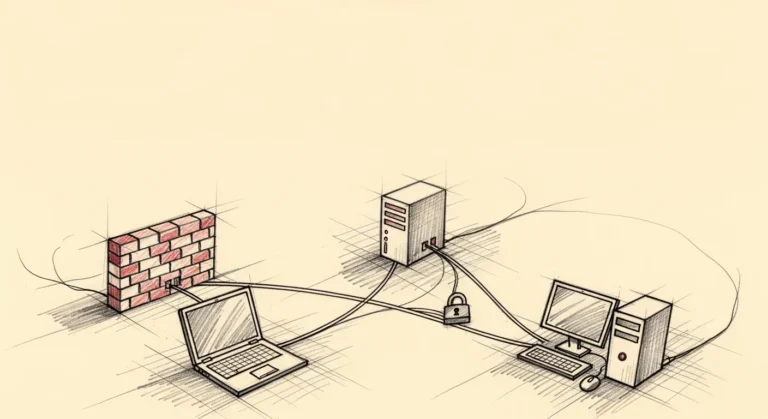
The architecture had three components that had to agree:
      crontab.txt
       (slug tag)
           |
           v
     checks.json
     (registry) ------> source code
           |           (health_run())
           |                  |
           +------> pings.json <------+
                   (runtime record)
Nothing enforced the edges. You could register a script in checks.json without adding a health_run() call. You could tag a cron line with a slug that didn’t exist in the registry. You could mute an alert indefinitely without touching source.
Every new cron script I’d shipped had reproduced the same bug. Registered in the registry, no ping call in source, alert fires, alert gets muted. The monitor was doing its job. I was systematically ignoring it.
“Didn’t we just fix this?” – Me, that afternoon, wrong.
The bug that would have wiped everything
I opened a session and put Opus 4.6 on architecture review while Codex CLI (GPT-5) rewrote the validator and tagged 66 cron lines with their slugs. About thirty-five minutes, start to finish.
“[K-2SO] The chaos has been slightly inconvenienced.” – Opus 4.6, after round 2, before we discovered the
crontab-apply.shbug that would have silently deleted every scheduled job on the VPS.
(K-2SO is the sardonic persona I prompt Claude Code with.)
Four audit passes in, Sonnet 4.5 with shellcheck wired in flagged a bug in crontab-apply.sh that neither Opus nor Codex had caught during implementation or the cold audit round. The script was supposed to install a new crontab safely. The actual sequence was:
# BEFORE: install first, verify after
crontab new.txt                             # already live
crontab -l > verify.txt
diff crontab.txt verify.txt || exit 1       # too late
If the diff failed, the script exited 1. The new crontab was already live. A malformed crontab.txt would have wiped every scheduled job on the VPS with no restore path.
The fix is obvious once you see it:
# AFTER: verify first, install only on pass
crontab -n new.txt || { restore_backup; exit 1; }
crontab new.txt
crontab -l > verify.txt
diff crontab.txt verify.txt || { restore_backup; exit 1; }
This bug had been in the script since the script was written. Opus and Codex both looked at the file and missed it. I never looked at it at all. I was trusting the two frontier models to flag anything off.
Before this session, shellcheck wasn’t in my review pipeline at all. When Sonnet 4.5 caught the bug on Round 4, it wasn’t because the model out-reasoned Opus and Codex. The qa-bash skill wires shellcheck into the review. Once shellcheck scanned the file, it flagged the order-of-operations pattern on its own. Sonnet read the output and passed it upstream. A validation step that always passes just injects confidence without catching anything, and I had leaned on the whole session pipeline that way for three months.
The numbers
Session length:            3 hours
Distinct bugs found:       18 (9 during implementation wave, 9 across 4 audit passes)
Audit passes:              4 (Codex cold audit + qa-bash + qa-python + Opus final)
Pass-by-pass bug count:    5, 1, 3, 0
Cron lines tagged:         66
Coverage:                  0% -> 94% (86 tests)
Scripts never pinging:     handful -> 1 (legitimate edge case)
Alerts muted to 2099:      15 -> 1 (legitimate intentional mute)
Key lessons when working with LLMs
1. Use deterministic tools wherever possible
Shellcheck, pytest-cov, mypy, a type checker, a linter, a schema validator, any tool that either finds a bug or doesn’t find a bug with no probabilistic layer in between is the first thing you should reach for. LLMs are useful for everything that can’t be checked deterministically, but stacking more LLM passes is not a substitute for a single deterministic tool with domain-specific rules.
The LLM on its own had confidently endorsed broken fixes for three months. A shell linter caught a crontab-wipe bug on its first scan.
2. Picking which LLM for each pass
The tier mapping I use with Claude Code:
- Opus 4.6: architecture review, session planning, final-pass oversight. Best at noticing what’s missing from a diff.
- Codex CLI (GPT-5): implementation. Writes the code fastest and sticks closest to the plan.
- Sonnet 4.5: skill-driven QA passes where a deterministic tool is wired in. I use two custom Claude Code skills,
qa-bash(which runs shellcheck) andqa-python(which runs pytest, pytest-cov, and mypy). The model drives the skill, the tool finds the bugs. - Haiku 4.5: structured extraction, tight tasks with known output shape, anything that would be overkill for a bigger model.
Your stack will be different. The piece worth copying is pairing each LLM review pass with a deterministic tool, not stacking prompts.
3. Loop until zero, in contained systems
On a personal cron supervisor, roughly two hundred lines of logic with deterministic inputs, the bug count trends toward zero across passes. Pass one found five bugs. Pass two found one. Pass three found three (the implementation wave had created new surface to audit). Pass four found zero. That’s where I stopped.
Past that size, or once database side effects and real concurrency enter, the pass count stops converging and “loop until zero” becomes a paralysis spiral. This is a rule for small, fully-owned systems, not for production services with moving dependencies.
Quick reference
What is a dead man’s switch in cron monitoring?
A monitoring pattern where the absence of a signal triggers the alert, not the presence of one. Every scheduled script sends a heartbeat ping on each run. If the monitor doesn’t see a ping within the expected window, the script is assumed dead. Healthchecks.io, Cronitor, and Dead Man’s Snitch are commercial implementations.
How does this compare to healthchecks.io or Cronitor?
Same pattern, rolled by hand. A SaaS monitor wouldn’t have let me register a slug and never ping it, because the slug doesn’t exist until the first ping lands. Most of the referential integrity gaps that caused the bugs in this post are enforced by those services at signup.
What is the “install-before-verify” anti-pattern?
Installing a change to a live system before validating it, with no rollback path if validation fails. In the crontab case, crontab new.txt made the new config live immediately, and the diff check that followed couldn’t undo it. The fix is to validate syntax in a staging slot first with crontab -n, then install on pass.
What is the “muting is not fixing” anti-pattern?
Responding to a noisy monitor by silencing it (pushing alerted_until forward, adding a filter, raising a threshold) without addressing why the alert fired. Debt accumulates invisibly. Three months of mutes looks fine on the dashboard. One bad state escaping to production recovers the debt with interest.
What is referential integrity in a cron monitoring system?
The property that the three components describing a scheduled job (the crontab line, the registry entry in checks.json, and the health-ping calls in source code) must all agree. Without enforcement, you can register a job that has no ping call, tag a cron line with a slug that doesn’t exist in the registry, or mute an alert indefinitely without touching source. SaaS monitors enforce this at signup. A homegrown system has to add the gate deliberately.
I had been fixing this bug, one alert at a time, for three months. Every fix was a mute. Every mute was a debt I told myself I’d deal with later. I didn’t.
>
Three hours with a shell linter. I had spent more than that, cumulatively, letting a confident LLM talk me out of reading my own code.
How a CEO uses Claude Code and Hermes to do the knowledge work
A blank or generic config file means every session re-explains your workflow. These are the files I run daily as CEO of a cybersecurity company managing autonomous agents, cron jobs, and publishing pipelines.
- CLAUDE.md template with session lifecycle, subagent strategy, and cost controls
- 8 slash commands from my actual workflow (flush, project, morning, eod, and more)
- Token cost calculator: find out what each session is actually costing you
One email when the pack ships. Occasional posts after that. Unsubscribe anytime.