LM Studio Errors on Apple Silicon: Prompt Truncation, Jinja Failures, and Crash Fixes
In shortQuantizing the KV cache from F16 to Q8_0 was the biggest win, taking usable context from roughly 75,000 tokens to 140,000 and generation from 12 tokens per second to 49. Flash Attention has to be set to On rather than Auto, or the quantization never activates. Cannot truncate prompt just means a 4,096-token default meeting a 17,000-token system prompt. Exit code null is almost always memory, and sudo sysctl iogpu.wired_limit_mb=24576 raises the macOS GPU cap.
I spent about two weeks of evenings getting Qwen3-Coder-30B running reliably on a Mac Studio (M1 Max, 32GB) through LM Studio and OpenClaw. Along the way I hit every error LM Studio has to offer, most of them with unhelpful messages and no obvious fix. This post covers the four errors I ran into most, what actually causes them, and the exact settings that resolved each one.
By the end of the tuning process, generation speed went from 12 tokens per second out of the box to 49 tokens per second (single request, warm cache, 140K context loaded), stable for days. The performance tuning section at the bottom has the full breakdown.
My Setup
- Mac Studio, M1 Max, 32GB unified memory
- LM Studio 0.4.5
- Qwen3-Coder-30B-A3B (GGUF Q4_K_M quantization)
- OpenClaw agent framework (system prompt ~17,000 tokens)
Your mileage will vary with different hardware, but the fixes themselves apply to any Apple Silicon Mac running LM Studio.
If you’re on the CUDA side instead, the Dell T5820 and RTX 3090 Ti llama.cpp build is the counterpart post, covering the same ground for a desktop CUDA rig.
The “Cannot Truncate Prompt” Error
The full error message looks like this:
Cannot truncate prompt with n_keep >= n_ctxThis means your prompt (including the system prompt) is larger than the context window LM Studio has allocated for the model. LM Studio defaults to 4,096 tokens of context. If you’re using an agent framework like OpenClaw or any system with a large system prompt, you’ll blow past that immediately. OpenClaw’s system prompt alone is around 17,000 tokens.
The fix: Increase the context length in LM Studio’s settings. Go to the model settings panel (the gear icon next to your loaded model) and set the context length to at least 32,768. For production use with agent frameworks, 65,536 or higher is more practical.
One important detail: set the context length in the LM Studio UI. The CLI setting doesn’t survive a crash. When the model crashes (and it will, while you’re testing limits), LM Studio reloads it with the default from settings.json. If that default is still 4,096, you’re in a crash loop that looks like the model is broken when it’s actually a config problem.
Higher context lengths use more memory. On a 32GB Apple Silicon Mac running a 30B parameter model, 140,000 tokens is the practical ceiling with KV cache quantization enabled (see the performance tuning section below). Without KV cache quantization, expect a ceiling around 75,000 tokens.
The context window fix is the one that unblocks most people. But if you’re running models with tool-calling support, there’s a second error that shows up once you start passing complex tool schemas.
Jinja Template Errors: “Unknown StringValue Filter: Safe”
The full error:
Error rendering prompt with jinja template: "unknown stringvalue filter: safe"Some model chat templates (Qwen3-Coder is a common one) include a | tojson | safe Jinja filter. LM Studio’s Jinja engine doesn’t support the safe filter. This error only triggers with complex tool schemas containing nested JSON parameters, so you might run fine for days before hitting it.
The fix: Edit the model’s prompt template in LM Studio’s UI. Go to My Models, select the model, open the Prompt Template editor. Find the occurrences of | tojson | safe and change them to | tojson (just remove | safe). There are typically two occurrences in Qwen3-Coder’s template.
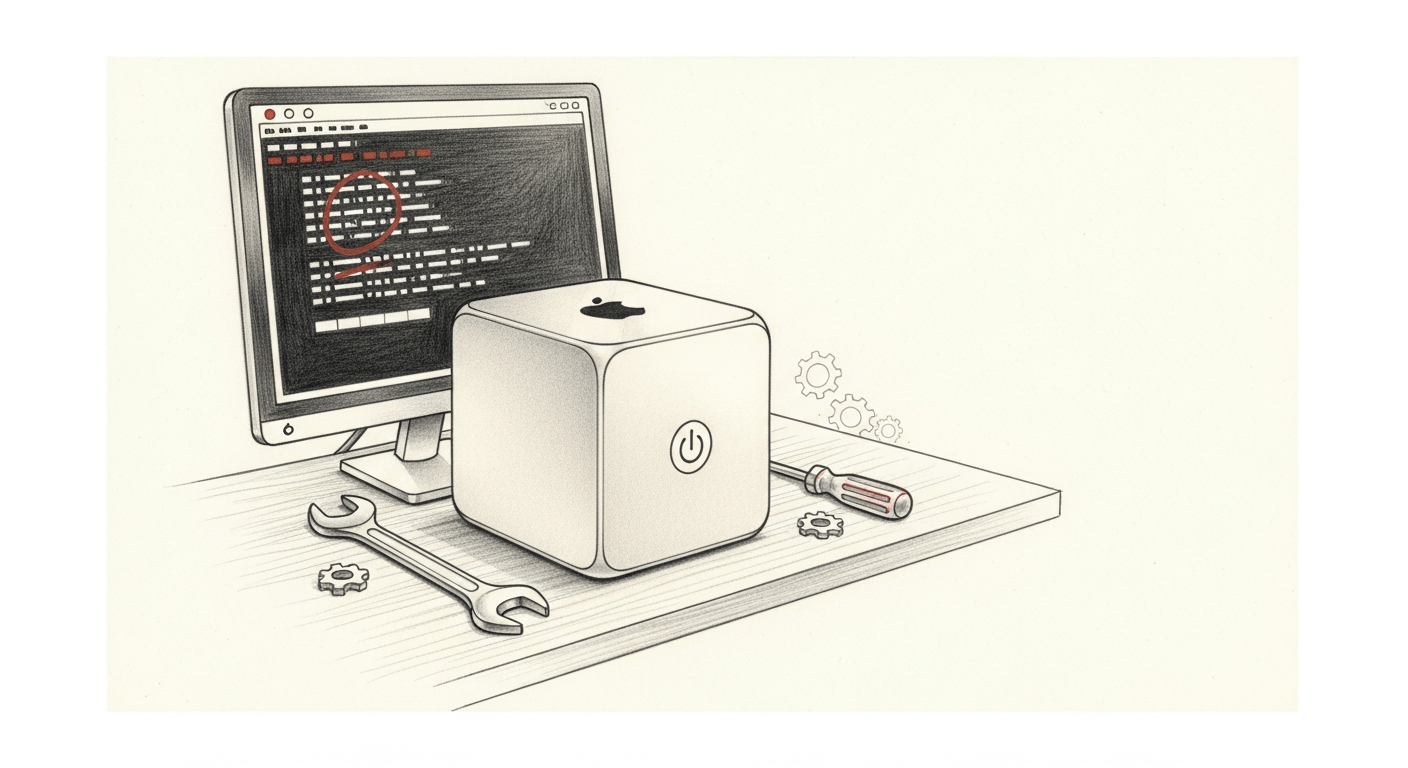
LM Studio “(exit code: null)”: What It Means and the Fix
You load a model, it appears to start, then fails with “Exit code: null” and no useful information in the logs.
Common causes and fixes:
- macOS caps GPU memory at about 66% of unified RAM by default. On a 32GB machine, that’s roughly 21GB, and a 17.5GB model plus KV cache blows past that. Fix:
sudo sysctl iogpu.wired_limit_mb=24576to raise the cap to 24GB. To persist across reboots, create a LaunchDaemon plist at/Library/LaunchDaemons/com.local.iogpu.plistthat runs the sysctl command at startup./etc/sysctl.confwas deprecated in macOS Big Sur and is silently ignored on Apple Silicon. - I ran into MLX backend instability with 4-bit versions of large models. The model loaded fine, ran for short conversations, then produced hallucinated gibberish followed by “Exit code: null.” Switching from MLX to GGUF (Q4_K_M quantization) with sysctl tuning resolved it completely.
- Sometimes it’s just a corrupted download. Delete the model file, re-download from the Models tab, and try again. GGUF files are large and partial downloads aren’t always detected.
Large models on 32GB machines live right at the edge of what the hardware can handle, and sustained load pushes them over.
Large Models (30B+) Crash Under Sustained Load
The model works for short conversations but crashes after extended use, especially with agent frameworks that maintain long sessions or spawn sub-processes. On Apple Silicon with unified memory, the model, the KV cache, the OS, and the display server all compete for the same memory pool.
I tested this extensively with Qwen3-Coder-30B-A3B on a 32GB M1 Max Mac Studio. Here’s what I found:
- At 150,000 tokens of context: fails to load.
- At 200,000 tokens: OOM kills the display server. Black screen, hard reboot.
- Speculative decoding with a draft model at 120K+ context: hard freeze, twice. There’s no memory headroom for a draft model on 32GB. On a 24GB RTX 3090 Ti the math is just barely tractable, but the technique you pick matters more than the headroom (see the three months of speed-up experiments: autoregressive, DFlash, MTP).
Mitigations that actually work:
- Switch both K and V cache from F16 to Q8_0 in LM Studio settings. This nearly doubles your usable context and increases generation speed. It was the single biggest improvement in my setup.
- Raise the GPU memory cap with
sudo sysctl iogpu.wired_limit_mb=24576on 32GB machines. Apple documents the Metal framework but the sysctl knob is community-discovered, so search for your specific chip’s recommended value. - Keep context length at 140K or below on 32GB machines with 30B models. The model card may say 200K. Your hardware disagrees.
- Agent frameworks accumulate conversation history that counts against your context window, so periodically delete stale session files. I was hitting the ceiling every 3-4 days before automating cleanup.
- Switch to GGUF. MLX has better integration with some tools, but its KV cache quantization had compatibility issues with several models when I tested it (early 2026). GGUF’s Q8_0 KV cache was more reliable across the board. The llama.cpp repo has good documentation on KV cache quantization options.
LM Studio Stuck on “Processing Prompt”
A hang at “processing prompt” that never produces tokens is the same memory-pressure failure as the crashes above, not a separate bug. On a 32GB machine a 30B model at high context is already at the memory ceiling, and prompt evaluation is where it tips over. Turn Flash Attention explicitly “On” rather than “Auto” and switch the KV cache to Q8_0, which both speed up prompt processing. If you are running speculative decoding with a draft model, drop it, since that hard-froze twice at 120K-plus context, and keep context length at or below 140K.
Performance Tuning Tips
After fixing the errors above, the stock configuration was still leaving performance on the table. I went from 12 tokens per second out of the box to 49 tokens per second (single request, warm cache, 140K context loaded), stable for days of continuous agent use. Here’s what actually helped, and what didn’t.
KV Cache Quantization
The key-value cache stores attention state for every token in context. By default, LM Studio keeps it in F16 (16-bit floating point). Switching both K and V to Q8_0 (8-bit) nearly doubles usable context and increases generation speed.
| Setting | Max Context | Speed |
|---|---|---|
| F16 KV (default) | ~75,000 | 12-35 t/s |
| Q8_0 KV | ~140,000 | 49 t/s |
You also need to set Flash Attention to explicit “On” in LM Studio, not “Auto.” Auto doesn’t always activate, and Flash Attention is required for KV cache quantization to work.
sysctl vm Settings
macOS caps GPU memory at about 66% of unified RAM. On 32GB, that’s roughly 21GB, which isn’t enough for a 17.5GB model plus KV cache at any reasonable context length.
sudo sysctl iogpu.wired_limit_mb=24576To persist across reboots, create a LaunchDaemon plist at /Library/LaunchDaemons/com.local.iogpu.plist that runs the sysctl command at startup. /etc/sysctl.conf was deprecated in macOS Big Sur and is silently ignored on Apple Silicon. This was the difference between “crashes under load” and “stable at 140K context.”
CPU Thread Count
Apple Silicon has performance cores and efficiency cores. The M1 Max has 8 P-cores and 2 E-cores. Using all 10 threads is slower than using 8. The efficiency cores create a bottleneck. Set CPU threads to match your P-core count only.
What Didn’t Help
I tested batch sizes from 512 to 2048 and measured less than 1 t/s difference across the range. Sub-4-bit quantization (Q3_K_M, IQ3_XS) is actually slower on Apple Silicon because of dequantization overhead, which surprised me. Q4_K_M hits the sweet spot for speed and quality on this hardware.
Last tested: March 2026 with LM Studio 0.4.5 on macOS Sequoia.
For model quality comparisons including local vs. cloud, see my 38-task LLM benchmark.
Once your local model is running reliably, the next question is when to use it vs. cloud models. My routing playbook covers the decision framework.
I wrote up the full setup process, including OpenClaw integration, cost breakdown, and model selection, in a separate post: OpenClaw Setup on Apple Silicon: From $330/Month to $1.50.
FAQ
What does “Cannot truncate prompt with n_keep >= n_ctx” mean in LM Studio?
It means your prompt, including the system prompt, is larger than the context window LM Studio allocated. LM Studio defaults to 4,096 tokens, and an agent framework like OpenClaw (about a 17,000-token system prompt) blows past that instantly. Raise the context length in the model settings panel to at least 32,768, or 65,536 and higher for production agent use.
How do I fix LM Studio “(exit code: null)” when a model fails to load?
Exit code null on load usually means memory pressure. macOS caps GPU memory near 66% of unified RAM, so on a 32GB Mac run sudo sysctl iogpu.wired_limit_mb=24576 to raise the cap to 24GB. If a 4-bit MLX model loads then produces gibberish before dying, switch to a GGUF Q4_K_M build. A corrupted or partial download causes it too, so delete the file and re-download from the Models tab.
Why is LM Studio stuck on “processing prompt”?
A hang at “processing prompt” is the same memory-pressure failure as the crashes, not a separate bug, because on a 32GB machine a 30B model at high context sits at the memory ceiling. Turn Flash Attention explicitly “On” rather than “Auto” and switch the KV cache to Q8_0, which both speed up prompt processing. Drop speculative decoding, which hard-froze twice at 120K-plus context, and keep context at or below 140,000 tokens.
What context length should I set in LM Studio for agent frameworks?
Set at least 32,768 tokens, and 65,536 or higher for production use with frameworks like OpenClaw. Set it in the LM Studio UI, not the CLI, because the CLI value does not survive a crash. LM Studio reloads from settings.json and drops back to the 4,096 default, which looks like a broken model but is really a config problem.
How do I stop a 30B model from crashing under sustained load on a 32GB Mac?
Switch both K and V cache to Q8_0, which nearly doubles usable context and was the single biggest improvement in my setup, then raise the GPU cap with sudo sysctl iogpu.wired_limit_mb=24576. Keep context at or below 140,000 tokens even if the model card claims 200K, delete stale agent session files that accumulate against the window, and prefer GGUF over MLX for reliable KV cache quantization.
How a CEO uses Claude Code and Hermes to do the knowledge work
A blank or generic config file means every session re-explains your workflow. These are the files I run daily as CEO of a cybersecurity company managing autonomous agents, cron jobs, and publishing pipelines.
- CLAUDE.md template with session lifecycle, subagent strategy, and cost controls
- 8 slash commands from my actual workflow (flush, project, morning, eod, and more)
- Token cost calculator: find out what each session is actually costing you
One email when the pack ships. Occasional posts after that. Unsubscribe anytime.